
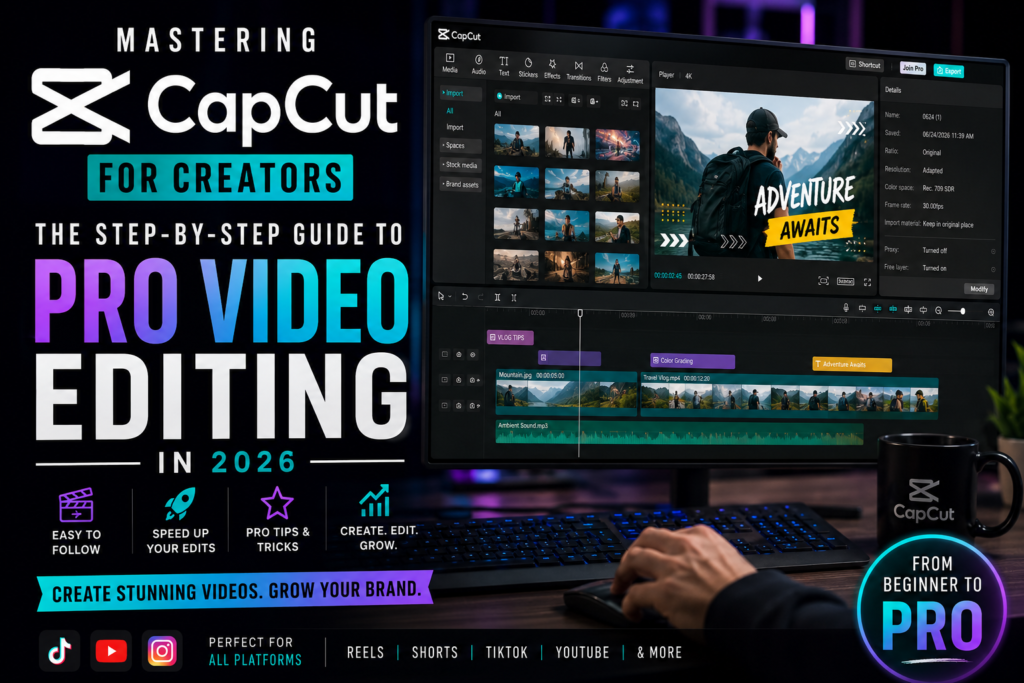
Video is the undisputed language of the internet in 2026. Whether you are creating content for TikTok, Instagram Reels, YouTube Shorts, or long-form documentary-style videos, the ability to edit high-quality footage is no longer a luxury—it is a necessity. Among the myriad of editing tools available, CapCut has emerged as the ultimate playground for creators worldwide.
If you have been struggling with complex, expensive software like Adobe Premiere Pro or DaVinci Resolve, it is time to simplify your workflow. In this guide, we will walk you through how to master CapCut and turn your raw footage into cinematic masterpieces in minutes.
Why CapCut is the Creator’s Best Friend
CapCut bridges the gap between professional-grade editing and ease of use. It is not just an app; it is a creative ecosystem powered by Artificial Intelligence that does the “heavy lifting” for you.
1. Auto-Captions: Your Secret Weapon for Engagement
Did you know that over 80% of social media videos are watched without sound? If your video lacks subtitles, you are losing the vast majority of your potential audience.
-
The Magic: CapCut’s Auto-Captions feature uses advanced speech-to-text AI to transcribe your audio in seconds with incredible accuracy.
-
Pro Tip: Don’t just leave the default font. Use the “Batch Edit” feature to apply bold, colorful text animations that grab attention instantly.
2. The AI Background Remover: Studio Quality Anywhere
You don’t need an expensive green screen or a high-end studio setup to look like a professional.
-
The Magic: With one tap, CapCut’s AI identifies your subject and removes the background entirely. This allows you to place yourself in front of dynamic motion graphics, blurred aesthetic backgrounds, or even virtual office spaces.
-
Use Case: This is perfect for “talking-head” videos where you want to emphasize the content rather than the environment.
3. AI Color Correction: Professional Vibes Only
Lighting is often the biggest challenge for new creators. Sometimes your raw footage looks dull, overexposed, or grainy.
-
The Magic: CapCut’s AI-powered color correction tool analyzes your video’s lighting and automatically balances the contrast, saturation, and brightness. It ensures that your video looks “expensive” without you having to touch a single slider.
Building Your Pro Workflow: A Step-by-Step Approach
To master CapCut, you must move beyond simple cuts and transitions. Here is a professional workflow to follow:
Step 1: The Import and “Rough Cut”
Start by importing all your clips. Do not worry about effects yet. Focus on the Rough Cut: removing dead air, awkward pauses, and mistakes. In CapCut, use the “Split” tool to trim your clips quickly.
Step 2: Storytelling via Transitions
Transitions should never be flashy for the sake of being flashy. They should serve the story.
-
Use “Dissolve” for a calm, professional look.
-
Use “Camera Shake” or “Zoom” only for high-energy content like vlogs or gaming highlights.
Step 3: Layering Audio
Sound design is what separates amateur videos from professional ones. Layer your main dialogue with a subtle, royalty-free background track. Make sure to “duck” your background music—lower its volume whenever someone is speaking.
Advanced Tips for 2026 Content
As we move further into 2026, the demand for “AI-enhanced” content is growing.
-
Keyframing: Learn how to use keyframes to animate text or photos. It gives your video a “motion graphics” feel that keeps the viewer’s eye moving.
-
Speed Ramping: Instead of a constant speed, use speed ramping to slow down important moments and speed up transitions. This adds a cinematic feel that is very popular in modern video editing.
Conclusion: Take Your Videos to the Next Level
CapCut is more than just an editor; it is a creative partner. By mastering these tools, you are not just making videos—you are building a brand that stands out in a crowded digital space.
The beauty of CapCut is that it grows with you. Whether you are a total beginner making your first reel or an experienced editor looking to save time, this platform has everything you need. The only thing missing is your unique perspective and creativity.
Start Your Editing Journey Today
Don’t wait for the “perfect moment” or the “perfect camera” to start creating. The best creators are the ones who start, edit, and publish consistently. Install CapCut today, experiment with the features we discussed, and watch your content quality soar.