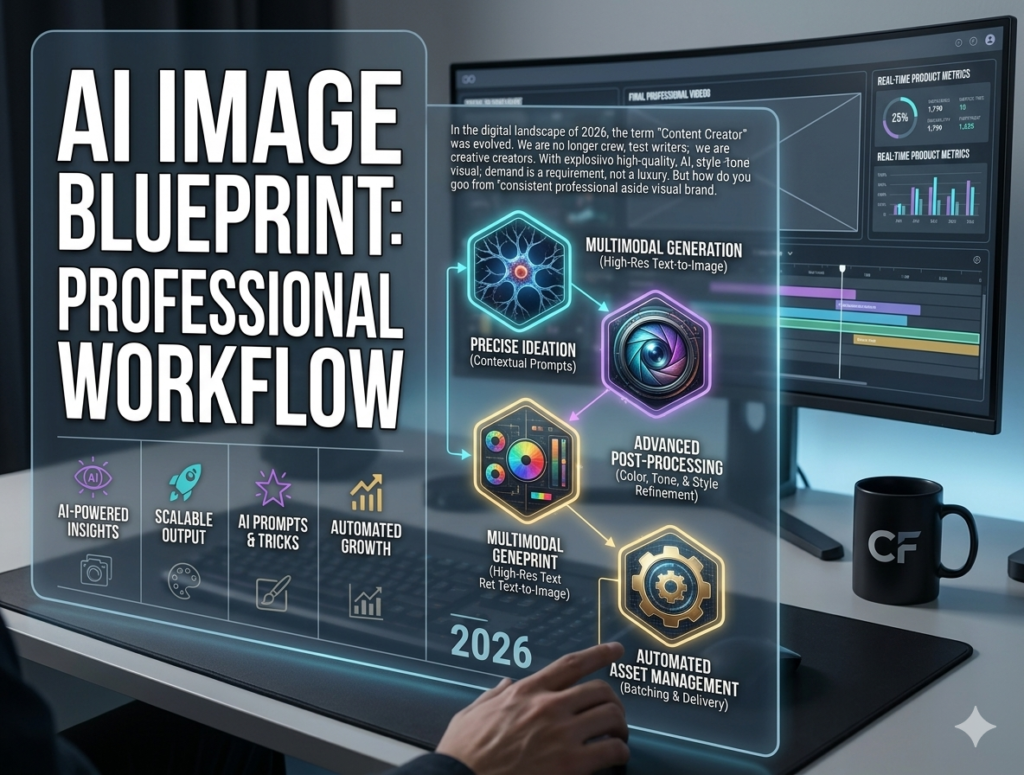
In the digital landscape of 2026, the term “Content Creator” has evolved. We are no longer just writers; we are creative directors. With the explosion of generative AI, the ability to produce high-quality, custom visuals on demand is a requirement, not a luxury. But how do you go from “playing with prompts” to building a consistent, professional-grade visual brand?
This guide will show you how to move beyond basic prompting and develop a sustainable, high-efficiency AI image workflow.
1. The Strategy: Why You Need a “Visual Systems” Approach
Most creators treat AI images as a “one-off” task—they need an image, they prompt it, they use it, and move on. This leads to a messy, inconsistent brand presence.
To succeed in 2026, you must treat your image generation like a production studio.
-
Style Guides: Just as you have a brand voice, you need a brand visual style. Define your preferred lighting, color palette, and art direction (e.g., “Minimalist, cool tones, clean backgrounds”).
-
Asset Libraries: Don’t just save images to your desktop. Categorize them by project, purpose, and mood. This allows you to repurpose high-performing visuals across different platforms.
2. Phase 1: Rapid Ideation (The Brainstorming Phase)
Before you open Midjourney or DALL-E, you need a clear vision. AI is a mirror; if your idea is fuzzy, the output will be, too.
-
Reverse Prompting: Use an existing image that you love as a reference. Use an AI tool to “describe” that image into a detailed text prompt. This helps you understand the specific words used to achieve that look.
-
The Mood Board Technique: Create a small grid of 4–9 images that share a theme. Ask your AI to analyze these images and suggest a common “style prompt” that bridges them all.
3. Phase 2: Execution & Advanced Techniques
When generating, the secret to professionalism lies in Iterative Refinement.
-
ControlNet & References: In 2026, we don’t just rely on text. Use “Image-to-Image” references. Upload a rough sketch or a low-quality photo, and let the AI elevate it to high-definition realism.
-
Aspect Ratios: Never forget to set your aspect ratio. For blog posts, use
--ar 16:9. For social media, use--ar 9:16. This simple step saves you hours of cropping and resizing later. -
Negative Prompting: Be clear about what you don’t want. Include keywords like “blurry, low resolution, crowded, distorted text” in your negative prompt settings to ensure a cleaner output.
4. Phase 3: Post-Generation & Integration
The AI output is only the first draft. The “Professional Edge” comes from the final polish.
-
AI-Native Upscaling: Don’t settle for the base resolution. Use AI upscalers to enhance the fine details, especially if the images will be used in large banners or professional print projects.
-
Generative Fill: Did the AI add a weird artifact or a hand with six fingers? Use “Generative Fill” tools (available in almost all pro editors today) to surgically fix those specific areas without re-generating the entire image.
Comparison Table: The Professional Creator’s Workflow
| Step | Amateur Approach | CreatorFlow Professional Workflow |
| Concept | Random guessing | Structured Mood Boards |
| Tooling | Single tool reliance | Hybrid (Midjourney + Photoshop + Upscalers) |
| Consistency | Random styles | Strict adherence to Style Guides |
| Output | Raw generation | Edited & Upscaled assets |
| Efficiency | One-off tasks | Asset library management |
Frequently Asked Questions (FAQ)
Q: Will AI-generated images hurt my SEO?
A: Not at all. Google cares about “Helpful Content.” If your images add value, explain complex concepts, and improve the user experience, they contribute positively to your SEO.
Q: How do I make AI images look less “digital”?
A: Use keywords like “Film grain, candid photography, natural lighting, shot on 35mm lens.” These subtle hints pull the AI away from the “hyper-polished” look and towards something more grounded in reality.
Q: How much time should I spend on one image?
A: With a workflow, you shouldn’t spend more than 10-15 minutes per high-quality asset. If it takes longer, simplify your expectations or refine your prompt.
Conclusion: The New Creator Paradigm
In 2026, the gap between a “hobbyist” and a “professional” is defined by systems. By implementing a structured workflow for your AI imagery, you stop being a consumer of technology and start being a producer of creative assets.
Your visuals are the first thing your audience sees. Make them count. Start by defining your brand style, master your prompt engineering, and always—always—add that final human touch of refinement.
What is your biggest frustration when generating AI images? Is it getting the right lighting, character consistency, or composition? Let’s break it down in the next guide!
Ready to build your own production pipeline? Click here to access the Master Template.