
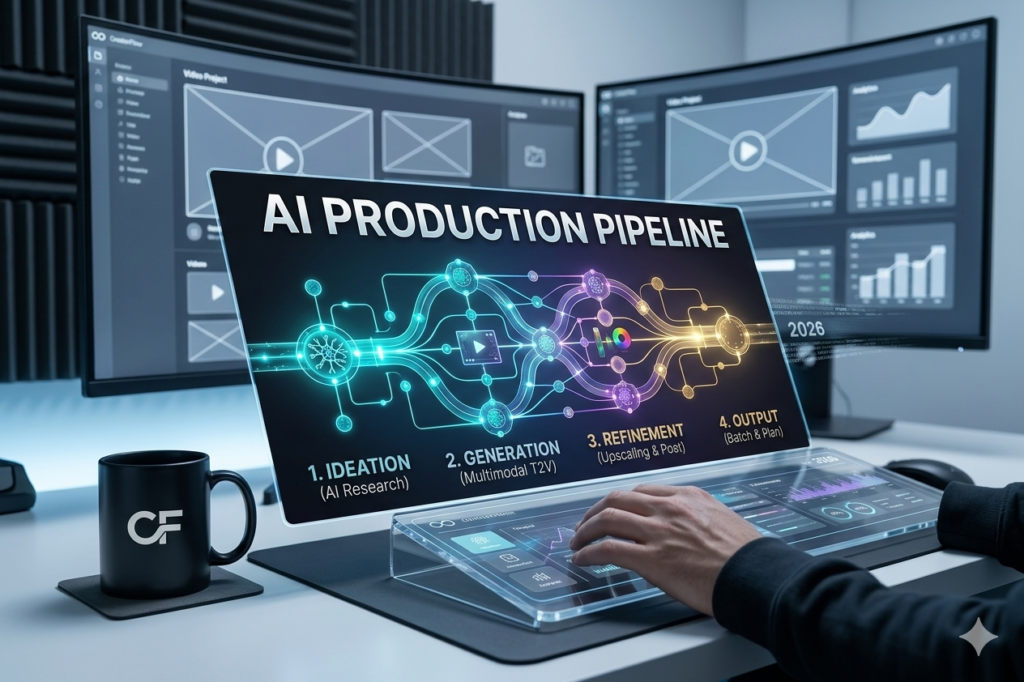
In 2026, creating high-quality video content is no longer about having a studio, a camera crew, or a massive budget. It’s about having a reliable pipeline. The most successful creators aren’t just “prompting” their way to a final cut; they are building repeatable workflows that combine AI efficiency with human creative direction.
If you want to produce cinematic content that stands out, you need to master the production pipeline. Here is the blueprint.
1. The Strategy: From “Random Clips” to “Cohesive Narratives”
The biggest mistake beginners make is generating 20 random AI clips and trying to stitch them together. That results in a disjointed mess. Professional AI video follows a strict order of operations:
-
Concept & Briefing: Clearly define your audience, the goal of the video, and the platform (TikTok vs. YouTube vs. Ad).
-
Scripting: AI should generate 5–10 script variations from your brief. Select the one that matches your brand voice and edit it for maximum “retention” (the hook is everything in 2026).
-
Storyboarding: Before generating a single frame, create a “boardomatic”—a sequence of still images or sketches that map out your shots. This ensures your final video has a consistent visual flow.
2. The Technical Pipeline (The “Secret Sauce”)
A professional AI video workflow is essentially a chain of specialized tools. Don’t try to do everything in one app. Use the best tool for each specific job:
-
Visual Generation: Use Runway Gen-3 or Veo 3 for high-end cinematic shots. If you need controlled movement, utilize Image-to-Video features where you upload a reference image to keep your character or setting consistent.
-
Audio & Voiceover: Never use “robotic” voices. ElevenLabs remains the industry standard in 2026 for emotional, natural-sounding voiceovers that sync perfectly with your script.
-
Assembly & Motion: Stitch your clips together using professional editing software like Premiere or DaVinci Resolve. Use AI tools to generate subtitles—they are mandatory in 2026, as over 80% of viewers watch videos on mute.
3. Principles for Professional Results
If you want to escape the “uncanny valley” (that weird, distorted look that screams ‘low-quality AI’), follow these rules:
-
Depth is Key: Avoid flat backgrounds. Layer your shots: a foreground object slightly out of focus, your subject in the midground, and a deep environment in the background. This creates a 3D feeling that makes AI video look “real.”
-
Slow the Motion: AI loves to go fast and get messy. For cinematic results, use “slow push-in” or “slow pan” camera movements. This adds tension and professional polish.
-
Character Consistency: Always use “Character Reference” or “Seed” settings. By keeping the same character look across different scenes, your video transforms from a series of clips into a coherent story.
Comparison: The 2026 Professional Workflow
| Stage | Amateur Method | Professional Pipeline |
| Concept | “Just start prompting” | Storyboarded briefs |
| Generation | Single-scene guessing | Iterative sequence generation |
| Voiceover | Generic AI voice | Emotion-tuned ElevenLabs API |
| Consistency | Random changes | Character/Style referencing |
| Output | Raw AI exports | Edited, color-graded, captioned |
Frequently Asked Questions (FAQ)
Q: How do I handle complex scenes with multiple characters?
A: AI still struggles here. The professional trick is to shoot “coverage”—generate separate clips of each character, then cut between them in your editor. Don’t ask for everything in one shot.
Q: Is it “cheating” to use AI for video production?
A: In 2026, AI is a tool like any other. The “cheat” is thinking that technology replaces taste. Your ability to curate, direct, and assemble the AI’s output is where your true creative value lies.
Q: What is the most important skill to learn?
A: Editing. AI can generate the footage, but the magic happens in the “cut.” Learn how to pace your video to keep the viewer’s eyes glued to the screen.
Conclusion: Lead, Don’t Follow
The barrier to entry has vanished, but the bar for quality has risen. Audiences in 2026 are smart—they can spot a lazy AI video from a mile away. The way to win is to use AI to handle the “grunt work” (animation, background generation, clean-up) while you focus on the creative direction.
Start your first pipeline today. Build a small, 30-second project from concept to final cut using this workflow, and you’ll immediately see the difference in your quality.
What is the one scene you’ve been dying to create but couldn’t figure out the right workflow for? Drop it in the comments and let’s brainstorm the prompt together
Ready to build your own production pipeline? Click here to access the Master Template