
Introduction: The Visual Revolution
In 2026, the barrier between a “professional designer” and a “content creator” has completely dissolved. We are living in an era where visual storytelling is the fastest way to capture audience attention. If your content looks amateur, your message gets lost. Enter Canva Magic Studio—a comprehensive AI-driven design suite that has completely changed the game. It is no longer just a simple tool for social media posts; it is a powerhouse that brings high-end graphic design, video editing, and layout capabilities to anyone with a browser. In this review, we’ll explore why Canva is now an essential asset in any creator’s digital toolkit.
What is Canva Magic Studio?
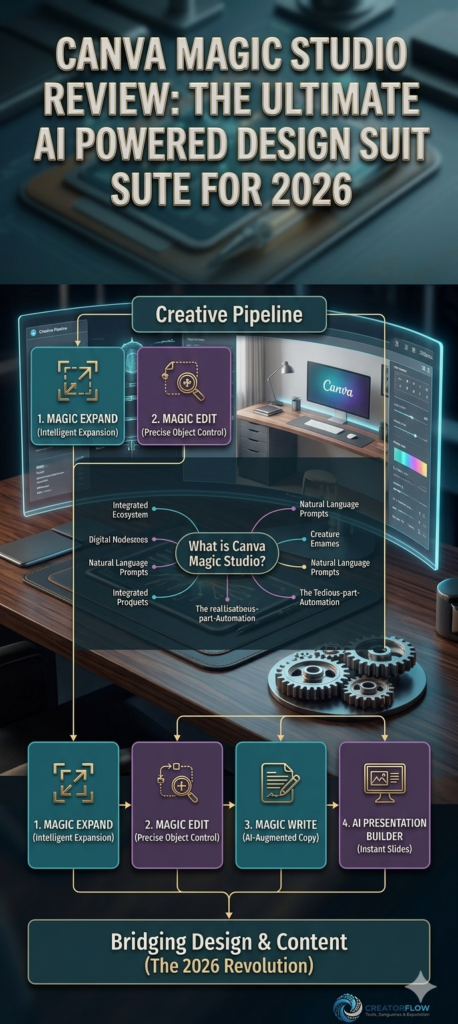
Magic Studio is the umbrella term for Canva’s integrated AI ecosystem. Instead of having to learn complex industry software like Adobe Photoshop or Illustrator, Magic Studio uses natural language prompts to perform complex tasks. Whether you are creating a YouTube thumbnail, a full-scale presentation, or an Instagram Reel, Magic Studio automates the “tedious” part of design so you can focus on the “creative” part.
Key Features that Save Time
-
Magic Expand: One of the most frustrating aspects of design is having a beautiful photo that doesn’t fit your layout size. Magic Expand uses AI to intelligently fill in the empty space around your image, creating a seamless background that looks like it was there all along. It’s perfect for turning square images into widescreen thumbnails.
-
Magic Edit: Need to change an object within an existing image? With Magic Edit, you simply brush over the object and tell the AI what you want to replace it with. It’s surprisingly accurate and saves minutes—sometimes hours—of manual editing time.
-
Magic Write: Canva’s AI-powered copywriting tool. It is excellent for generating headlines, blog summaries, or social media captions directly within the design interface. You no longer have to toggle between different browser tabs to finish a design.
-
AI Presentation Builder: This is a lifesaver for creators who offer courses or project pitches. By simply inputting a topic, Magic Studio can generate an entire deck of slides with relevant layouts, images, and text. You just need to add your personal touch.
Why Quality Visuals Are Non-Negotiable
In 2026, your audience’s attention span is shorter than ever. High-quality visuals serve as the “hook” that stops the scroll. When your designs are consistent, clear, and professional, your brand authority increases. Your audience begins to associate your content with quality before they even read your first sentence. Canva provides this consistency without the high cost of hiring a dedicated design agency.
The “Ease of Use” Factor
The most significant advantage of Canva is the learning curve—or lack thereof. Industry-standard software often takes months to master. Canva Magic Studio, however, is intuitive. Because it relies on AI prompts, you are essentially “talking” to your design software. This lowers the entry barrier significantly, allowing creators to spend their time creating rather than struggling with software manuals.
Conclusion: A Must-Have Tool for Growth
Canva has successfully democratized professional design. For the 2026 creator, the ability to produce high-quality visual content rapidly is not just a luxury; it is a core competency. Magic Studio removes the technical hurdles that often discourage creators from building a strong visual brand. Whether you are a solo entrepreneur, a student, or a digital marketer, the investment in Canva is an investment in your brand’s perceived value. It is, without a doubt, one of the most powerful tools available for content creators today
Ready to build your own production pipeline? Click here to access the Master Template.